Compatible with Chrome and Edge
Instruction Guide
We have a simple tutorial guide which explains the features of the software extension and what each button inside the extension does. Read our tutorial and welcome guide on how to use the extension to the fullest. Use all the features of this browser software.
If you are interested in other web extensions to install, you might wish to check out the Microsoft Bing Search with Rewards extension.
Microsoft Bing Search with Rewards Extension
It allows you to complete daily offers to get points.
Track the number of points you have currently and the rewards you can redeem with these points.
The ways to get points & get rewarded is search with Bing, browse with Microsoft Edge and shop at the Microsoft and Windows stores to earn rewards.
Sponsored Link:
Other useful extensions
Another extension which would be useful to install is the iCloud bookmarks extension.
It allows to keep your Chrome bookmarks on Windows synced up with the Safari bookmarks on your iPhone, iPad, and Mac.
iCloud will store your website bookmarks so it is accessible even on your iPhone and Mac.
Try these other two extensions and see if it will boost your daily productivity.
- Supports both RSS and Atom feeds
- Discover both RSS and Atom feeds within pages
- You can manage the RSS feeds manually or use a bookmark folder
Features:
Install and open.
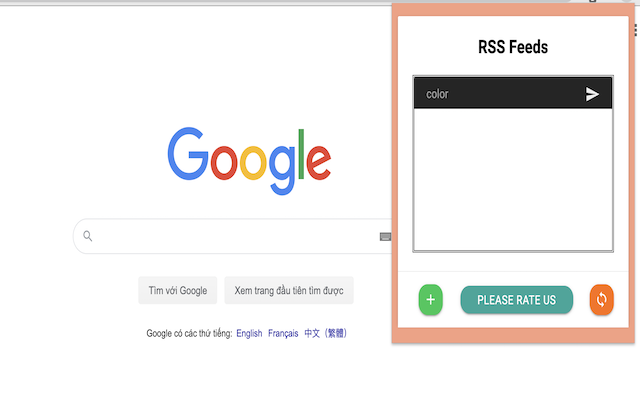
- After installing the extension. You click on the icon to get the RSS feed located on that specific webpage.
Feedreader is a free desktop RSS feed reader that supports multiple platforms. It's available as an offline installer for Windows, Mac OS X and Linux operating systems. The first time you run Feedreader, it will automatically download your feeds from the web and store them locally on your computer.
Feedly is an online RSS reader that offers a lot of features to help you organize your favorite news sources and blogs in one place.
Blogging platforms like TypePad and WordPress have built-in support for RSS feeds. You can also use third-party services like Blogger's FeedBurner or FeedBlitz to subscribe to other sites' RSS feeds.
Feedly - RSS feed reader
Feedly is a free service that lets you read online content using an RSS reader. It's like a newsreader, but for websites, blogs and forums.
It's great for people who want to keep up with the latest news, blogs, sports and technology without having to visit each website individually
Tutorial:
- Install the Extension
- After installing the extension, click on the icon on the toolbar.
Sponsored Link: